What is a restaurant POS? Basic features and how to choose one
A POS is not just a machine for taking payment. It connects everything from the order to your sales numbers. Here is what to look at when choosing one.
Published · PRIME HUB Inc.
What a POS is
POS stands for "point of sale". At payment it records when, what, how many and for how much something was sold, and that record is used to total and analyse your sales. Cloud POS registers that run on tablets and smartphones are now common.
Basic features of a restaurant POS
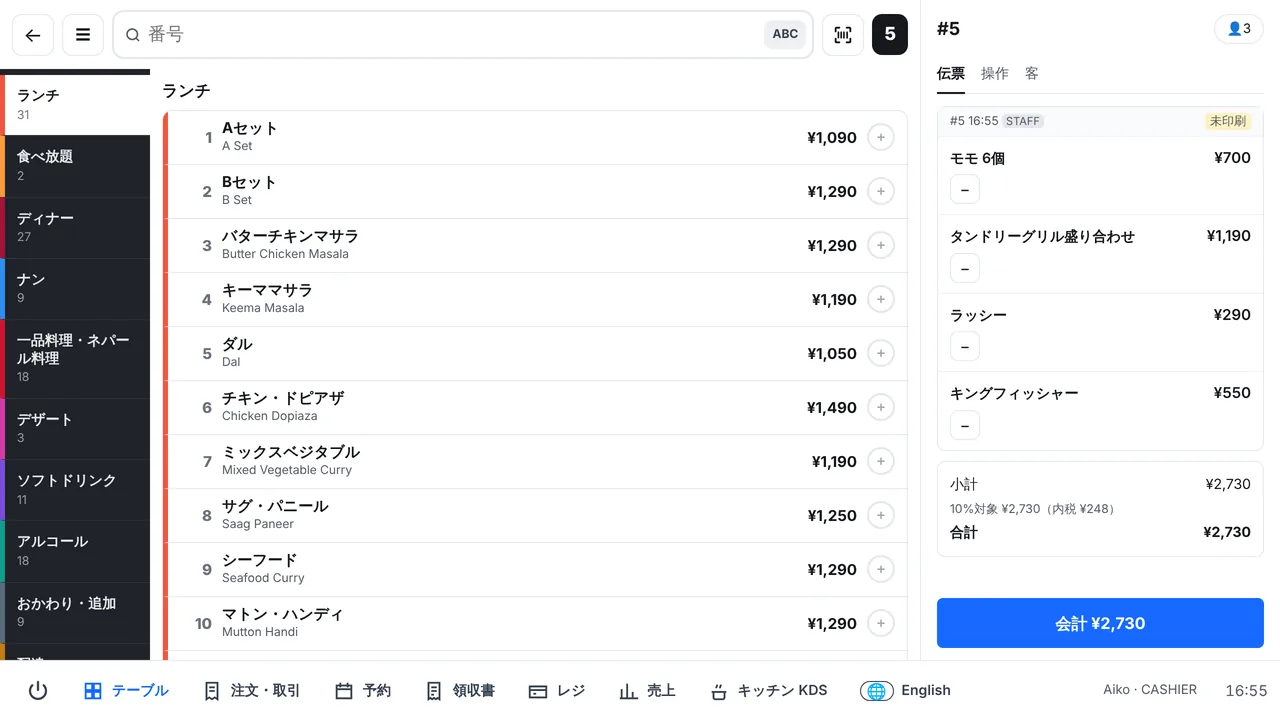
- Order entry per table, including options such as spice level or size
- Sending orders to the kitchen by kitchen printer or kitchen display
- Payment: split bills, discounts, voids, payment methods and receipts
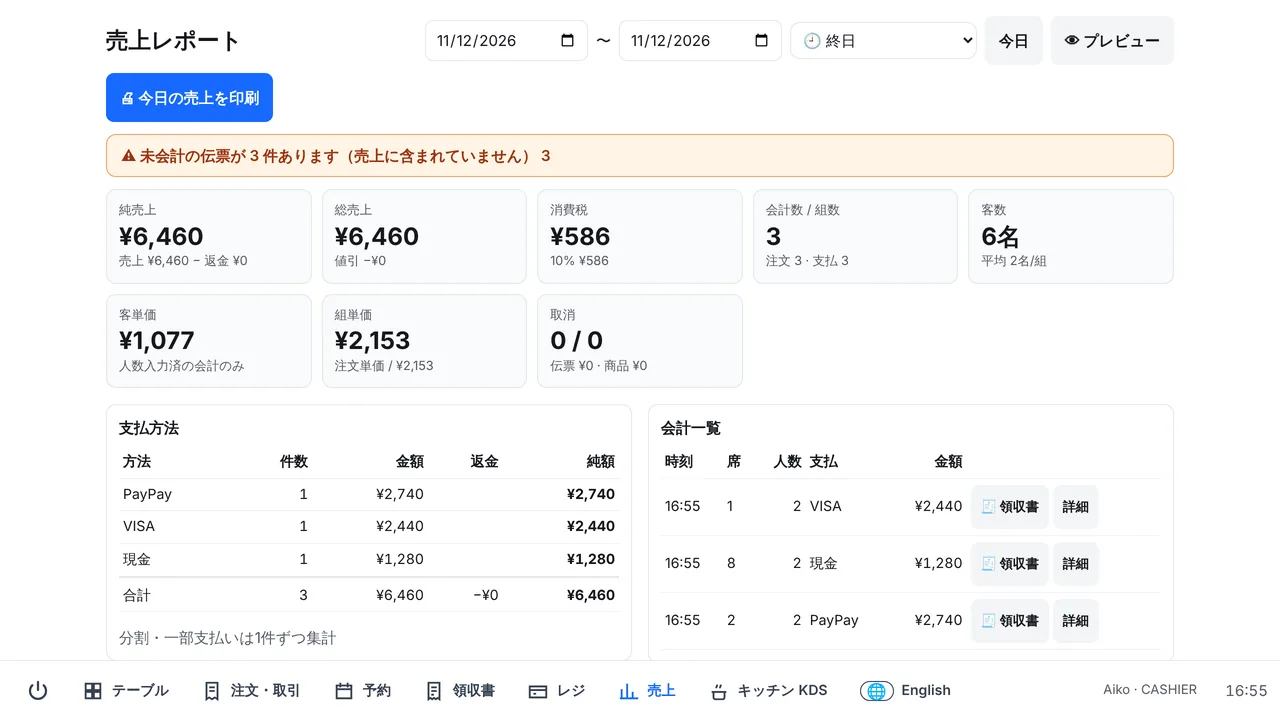
- Sales by day, hour and item, with guest count and spend per guest
- Staff sign-in, permissions and an activity log
7 things to check
1. Fit with your restaurant
If you take orders at the table, table management and split bills are a must. If you sell a lot of takeaway, check that the tax rate switches automatically.
2. Devices
Whether you need a dedicated terminal or can use your own iPad or phone makes a big difference to the start-up cost.
3. Printers and cash drawer
Check which printers are supported (connection and paper width) and whether you can send each category to a different printer.
4. QR code ordering
For restaurants short of staff, letting guests order from their own phones makes a big difference.
5. Price
Compare the setup fee, monthly fee, extra options and contract length together. A free plan lets you try the system during real service before you decide.
6. When the internet drops
Being able to keep taking payments offline is important so that service never stops.
7. Language and ease of use
If staff from abroad work with you, check that screens and tickets can switch language.
Summary
What matters most is not the number of features but how well the POS fits your daily routine. Prime POS is free for your first store, so you can try it in real service. See the Prime POS restaurant POS.
Related Prime POS features
Start with one store, free.
Sign-up takes a few minutes, with no setup fee or contract. You can also try Pro free for 30 days.